One of the hardest things about going on vacation is not being stuck in a long line at a theme park or waiting for a lengthy flight delay; it’s when that annoying message pops up telling you that the storage on your phone is full just as you were about to take a picture of a beautiful sunset, a delicious meal, or something amazing that will never happen again.
Now, more than ever, people are taking vacation pictures and video. Every place you visit becomes a chance to take some kind of content; a Hawaiian beach, a mountain hiking trail, a vendor selling delicious street food, or a cultural location that no one knows about.
Taking pictures and videos of your trip is a big part of the fun, but the number of photos and videos that accumulate can quickly take over your phone storage, even if you have a good size phone.
One quick fix that anyone can do to free up space on their phone is to remove files that are taking up space on your phone and will never be used. There are hundreds of pictures and screenshots on your phone that you don’t remember taking, duplicates of pictures, old viruses you downloaded and never used, and many of the blurry pictures that people take but will never use.
Using video recording settings wisely is also a great way to save and optimize your storage space. Full HD (1080p) will often have enough clarity to share with your social networks, keep personal memories, and send to family and friends. Also, by reducing the size of your file, you can have more storage on a longer trip.
Also, many seasoned travelers use social media sites as temporary storage for their memories. Instead of letting your photos remain on your device and untouched until the end of your trip, you can upload (and tag) photos throughout your trip. Uploading photos in this manner allows you to share your travel experiences as they happen, but it also backs up those travel memories so that if anything happens to them, you will still have access to them.
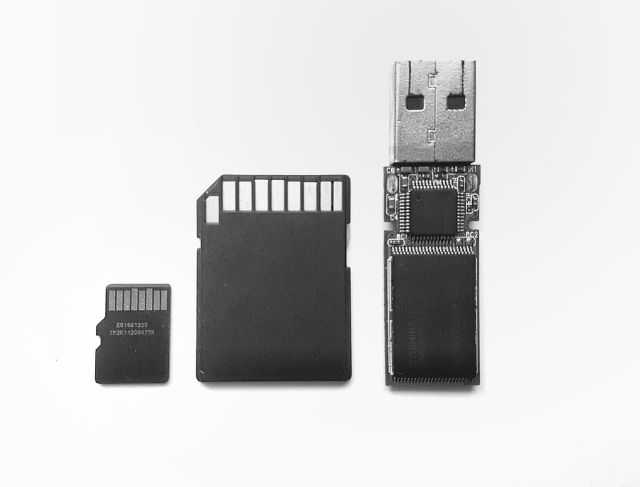
If you take hundreds or thousands of photo(s) per trip, the best method for moving your files to free up your storage would be to transfer them to an external storage device. You can quickly clear off tons of space with a laptop, portable SSD, external hard drive, or even a USB flash drive. Backpacking, assisting other travelers, and other types of traveling content creation (e.g., photography, videography, etc.) will create large amounts of content on a daily basis while on the road.
Google One offers a simple solution for quickly backing up your photo and video collection without the need for a physical storage device. Files can be automatically backed up, giving travelers peace of mind while allowing for new experiences. In addition, all files stored in the cloud will be protected, even if the device is lost, damaged, or stolen during your travels.
One of the most significant errors that travelers make is failing to manage their storage effectively before it fills up to capacity. By the time you realize that you have filled up your storage and need to take corrective action, it’s too late, and you’ve probably missed some great moments as a result. Instead of waiting until your storage is full, manage your storage proactively throughout your trip so that there will always be enough space available for the next photo op.
Your travel memories are worth more than money; no matter what kind of trip you’re on, whether it’s a busy city, a quiet beach, or a remote mountain top, if your storage is full, then you will have to make the difficult choice of deleting some of your old memories to make room for new ones. Planning ahead will make it much easier and more enjoyable to capture your trip.